


Contacting BetGoat Support
BetGoat operates on a “player-first” philosophy, recognizing that in a 24/7 global market, support must be available at all times. The platform offers three primary layers of assistance, ranging from instant AI-driven chat to specialized email technical support.
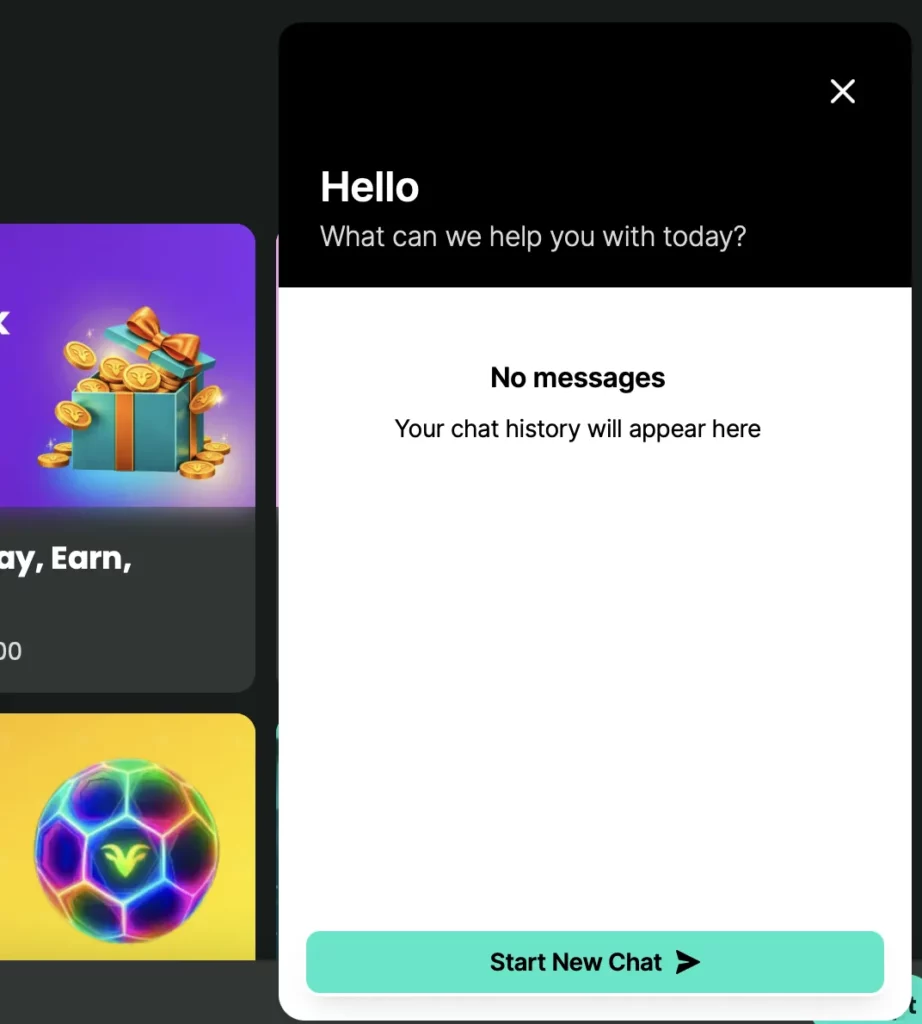
Live Chat Assistance
The 24/7 Live Chat is the most popular and efficient way to resolve urgent matters.
- Accessibility: Accessible via the “Headset” icon located at the bottom right of the screen on both desktop and mobile app versions.
- Response Time: Typically, players are connected to a human agent in under 120 seconds.
- Multilingual Support: While the primary language is English, BetGoat utilizes advanced translation tools to assist players in multiple languages.
- Functionality: You can upload screenshots directly into the chat window, which is vital for confirming transaction IDs or showing error codes.
Email Support
For complex issues that require a paper trail or detailed investigation—such as partnership inquiries, high-value VIP concerns, or account recovery—Email Support is the preferred channel.
- Official Address: [email protected]
- Expected Turnaround: Most emails receive a comprehensive response within 6 to 12 hours.
- Best For: Sending PDF documents for KYC verification, reporting bugs with detailed logs, and discussing Affiliate program structures.
Help Center
Before reaching out to an agent, many players find their answers in the BetGoat Help Center. This is a self-service knowledge base that contains:
- Step-by-Step Tutorials: How to set up a MetaMask wallet or use the “Cash Out” feature.
- Video Guides: Brief walkthroughs of the registration and deposit processes.
- Search Function: A powerful tool that allows you to type in keywords like “Gas Fees” or “Wagering” to find instant articles.
Common Player Issues
Even on the most optimized platforms, occasional hurdles occur. Most player inquiries fall into three specific categories.
Account Login Problems
Losing access to your account can be stressful, but it is usually easily fixed.
- Forgotten Passwords: Use the “Forgot Password” link on the login screen. You will receive a reset link to your registered email.
- 2FA Issues: If you have lost your phone or deleted your Google Authenticator app, you must contact Email Support. For security reasons, resetting 2FA requires manual verification.
- Account Lockouts: Multiple failed login attempts may trigger a temporary security lock. In this case, waiting 30 minutes usually resolves the issue.
Crypto Deposit Issues
Since BetGoat is a crypto-exclusive platform, deposit delays are often related to the blockchain rather than the casino itself.
- Pending Confirmations: Every blockchain (BTC, ETH, SOL) requires a certain number of network confirmations before funds are credited.
- Wrong Network Selection: A common error is sending USDT via the ERC20 network to a TRC20 address. Always double-check the network before sending.
- Minimum Deposit: Ensure your deposit meets the minimum threshold (e.g., 20 USDT for general play or 50 USDT for bonuses).
Bonus Questions
Bonuses often lead to questions regarding “locked” balances.
- Wagering Progress: You can track how much of your bonus is cleared by visiting the “My Bonuses” tab in your profile.
- Game Eligibility: If a slot isn’t loading while you have an active bonus, it might be an “Excluded Game.”
- Expiration: Remember that most welcome bonuses have a 14-to-30-day window.
Technical Support
While BetGoat is built on a high-performance framework, the intersection of blockchain technology and complex gaming software can occasionally lead to technical friction. Understanding the root causes of these issues allows you to resolve them quickly, often without needing to wait for a support agent.

Mobile App Issues
The BetGoat experience is optimized for mobile, but performance can be affected by device settings or network stability.
- App Freezing or Crashing: This is most common when the device’s RAM is overloaded. Ensure that you have closed unnecessary background applications. If you are using the Android APK, ensure you are on the most recent version, as outdated versions may lack critical security and performance patches.
- Touch Responsiveness: If buttons (like the “Spin” or “Bet” button) are unresponsive, it is usually a browser-side glitch. For iOS Web-App users, refreshing the page or clearing the Safari cache typically restores full functionality.
- Biometric Failures: If FaceID or Fingerprint login fails, check if your device’s “Power Saving Mode” is active, as this sometimes disables biometric sensors to save energy.
Transaction Errors
Crypto transactions are generally reliable, but “Transaction Purgatory” can occur due to factors outside of BetGoat’s control.
- Pending Deposits: If your deposit shows “Pending” for over 30 minutes, check a blockchain explorer (like Etherscan or Tronscan). If the status is “Confirmed” on the blockchain but not in your account, it likely means the internal BetGoat reconciliation is lagging; simply provide the TXID to live chat for a manual push.
- Rejected Withdrawals: This often happens if you have an Active Bonus with unmet wagering requirements. The system will prevent withdrawals to protect your bonus progress. Check the “My Bonuses” tab to see if you need to finish a rollover or forfeit the bonus first.
- Network Mismatch: Ensure you are not sending USDT (ERC20) to a USDT (TRC20) address. Such errors can lead to a permanent loss of funds, though BetGoat’s tech team may assist in recovery if the mistake happened within their internal wallet infrastructure.
Game Loading Problems
“Black screens” or “Connection Lost” messages during gameplay are usually related to data synchronization.
- Clearing Cache & Cookies: This is the #1 solution for 90% of loading issues. Accumulated temporary files can corrupt game assets, preventing them from initializing.
- VPN Interference: While many users in Singapore use VPNs for privacy, some server locations may have high latency or are blocked by specific game providers (like Pragmatic Play or Evolution). Try switching to a different server or a “Dedicated IP” if available.
- Hardware Acceleration: If live dealer streams are stuttering, go to your browser settings and toggle “Use hardware acceleration when available.” This offloads the video processing to your GPU, ensuring a smoother 4K stream.